Sarah - Google Earth
Explore: Kerpoof
Explore Mrs. James Web Tools
Create a post over Kerpoof and over two tools from Mrs. James webtools.
Find a web tool that we have not gone over and make a post on our Favorite Web Tools site that you are the contributor for.

Monday, December 6
Today we will explore Notaland and Glogster
 Nota is a unique, cutting-edge collaborative web platform that allows users to create, share and collaborate on presentations and virtually any other form of online material. Using Nota’s proprietary toolset, users can instantly integrate text, video, maps, clip art, photos from web album or on the local computer, or license-free images from Flickr, and material from an ever-expanding array of sources. Users can then instantly embed their work in Facebook or blogs, and can share and collaborate with friends.
http://notaland.com/
This is an AWESOME website!!!! You can add your own pictures, text - collaborate with others. LOVE---LOVE THIS TOOL!!

 Glogster - Interactive Poster for you to express your creativity, knowledge, ideas and skills
Click here to visit my Business Law - Glog
Two versions: Glogster EDU and Glogster
Glog is a kind of poster - fully designed by yourself! Glog is a fancy creation from text, images, music and video. Your Glog will stand out. It gives you a perfect tool to express yourself.
Text
Nota is casual collaboration.
Mash your ideas and media together with friends in a dynamic whiteboard wiki. Using photos, videos, and other web content you can instantly create brainstorms, presentations, scrapbooks, and collaborate with others on a project (chat with up to 50 people at a time). Nota is a unique, cutting-edge collaborative web platform that allows users to create, share and collaborate on presentations and virtually any other form of online material. Using Nota’s proprietary toolset, users can instantly integrate text, video, maps, clip art, photos from web album or on the local computer, or license-free images from Flickr, and material from an ever-expanding array of sources. Users can then instantly embed their work in Facebook or blogs, and can share and collaborate with friends.
http://notaland.com/
This is an AWESOME website!!!! You can add your own pictures, text - collaborate with others. LOVE---LOVE THIS TOOL!!

GLOGSTER

Click here to visit my Business Law - Glog
Two versions: Glogster EDU and Glogster
Glog is a kind of poster - fully designed by yourself! Glog is a fancy creation from text, images, music and video. Your Glog will stand out. It gives you a perfect tool to express yourself.
Text
Tell the others what you think about yourself, about love, friends, school or about the world. Simply write what you have in your mind! Just choose the design you like and write a poem, joke, greeting, a letter or create a presentation.
Images
Don’t forget to add images! Choose the best of your own pictures or the pics you got from the Internet. Cool celebrities, cartoons, characters, glitters or art. Just add them to your Glog and make it fancy.Music
Words and pictures isn’t enough? Pump it up with some audio! Show the others what kind of music you are into. Pop, rock, hiphop, electronic, jazz or techno. Just upload your favorite mp3 or listen to the music on other Glogs.Video
Have your own video? Watch your favorite band’s clips every day? Upload it to your Glog. It is easy: you can use videos from your fav video sites. Make your Glog rock and add a video or even a movie.Thursday, December 2
Briefly discuss Tinychat and Google talk - we will demonstrate this.
Today we are going to draw, create and doodle!
Today we will explore: Imagination Cubed, Doodletoo, and Comix!
Imagination Cubed - click here!
This collaborative drawing tool provides different brushes, stamps, and other features. Invite others by email to participate in your artwork.

COMIX http://avenscorner.com/flashgames/comic/comic.html
the free online comic strip maker!
Create an online comic strip using Comix! You can upload your own images or use images/objects that Comix offers. You can add backgrounds and borders as well. Save, publish or print your comic strip! More than three pages can be created.


Doodletoo
http://doodletoo.com/#/lobby

DoodleToo is a simple chat website :-). Every time you’re drawing you can press ENTER or click "Say it" and enter any message you want to share with the others. Continue drawing with your message appearing at the top of your pen. Click "Snap it" and you’ll get a screenshot! Save it, send it or post it to Facebook for all your friends to see.
Check out Firefox add-on's - see what's new! https://addons.mozilla.org/en-US/firefox/
Please get 10 pictures on your computer by Wednesday.
Today we are going to draw, create and doodle!
Today we will explore: Imagination Cubed, Doodletoo, and Comix!
Imagination Cubed - click here!
With Imagination Cubed you can email a friend to have them draw with you! FUN!!!! And chat at the same time. You can create a design and email the design to a friend. Once your drawing is complete click replay and it will "replay" your drawing!

COMIX http://avenscorner.com/flashgames/comic/comic.html
the free online comic strip maker!
Create an online comic strip using Comix! You can upload your own images or use images/objects that Comix offers. You can add backgrounds and borders as well. Save, publish or print your comic strip! More than three pages can be created.


Doodletoo
http://doodletoo.com/#/lobby
What is DoodleToo about?
Doodletoo.com is an online drawing tool and chat room in one. Enter one of their rooms and draw your messages, ideas, moods, express yourself or post pictures to share with others! Everyone sees your pen and can join you, help you, challenge you or maybe become your friend. The whole world can now see your paintings as they are being created. It's a lot of fun – check for yourself! Register your nickname, choose your default color, start drawing and enjoy yourself! Welcome Doodler!DoodleToo is a simple chat website :-). Every time you’re drawing you can press ENTER or click "Say it" and enter any message you want to share with the others. Continue drawing with your message appearing at the top of your pen. Click "Snap it" and you’ll get a screenshot! Save it, send it or post it to Facebook for all your friends to see.
DoodleToo on my website
Room Embed API
DoodleToo on your website? It’s easy! Use our DoodleToo Room Embed API and get fully customizable rooms for your website, brand, chat or your private social platform. Our API will use your DoodleToo nickname automatically.Check out Firefox add-on's - see what's new! https://addons.mozilla.org/en-US/firefox/
Please get 10 pictures on your computer by Wednesday.
Thursday, December 2
Try tinychat on Mrs. James website: http://tinychat.com/dawnjames
 ---Take a screen shot
Try Google Talk (Video) - make sure you are on Safari, or it will not work.
--To do this, log on to your gmail account. On the left hand corner--you will go into the middle room.
--Take a screen shot to verify that you and your partner did this. --you will go into the middle room.
--You will have to invite that person to chat.
Create a post on on your blog about Tinychat and Google Talk - post your screen shots - discuss your thoughts on video chat - what is the difference between the two - or how you or someone could utilize these two video chatting features..
Try and record on your gabcast account
--you will first need to create a channel to get the channel number and create password to enter when you record your message --you can utilize the laptop.
Create a voxopop account.
--Mrs. James created a Talkgroup account


---Take a screen shotTry Google Talk (Video) - make sure you are on Safari, or it will not work.
--To do this, log on to your gmail account. On the left hand corner--you will go into the middle room.
--Take a screen shot to verify that you and your partner did this. --you will go into the middle room.
--You will have to invite that person to chat.
Create a post on on your blog about Tinychat and Google Talk - post your screen shots - discuss your thoughts on video chat - what is the difference between the two - or how you or someone could utilize these two video chatting features..
Try and record on your gabcast account
--you will first need to create a channel to get the channel number and create password to enter when you record your message --you can utilize the laptop.
Create a voxopop account.
--Mrs. James created a Talkgroup account


Tuesday, November 30
Today you will:
Create a Vocaroo message and embed it onto your blog - in a post or as a gadget!
While there is down town - change your meez, blog background, visit http://www.go2web20.net/ and explore websites!!!! - HAVE FUN!!! Share what you find by adding a post to our web tools blog!
Add a message utilizing Vocaroo to your blog as a gadget!
Create a gabcast account
--Create a message using your phone. --this can be done in the classroom.
- Create a voice message utilizing several podcasting websites!
Create a Vocaroo message and embed it onto your blog - in a post or as a gadget!
While there is down town - change your meez, blog background, visit http://www.go2web20.net/ and explore websites!!!! - HAVE FUN!!! Share what you find by adding a post to our web tools blog!
Add a message utilizing Vocaroo to your blog as a gadget!
Create a gabcast account
--Create a message using your phone. --this can be done in the classroom.
Wednesday, November 24
Google Tools Presenters:
Bailey - Reader and Jennifer - Sites
Ryan - Chrome, Shayna - Docs
Visit Newseum
Go2Web20 Tools
Assignment:
Go to 3b's blogs and take atleast 4 surveys!
Thanksgiving Fun - on Mrs. James Web Tools - CLICK HERE!!!
Bailey - Reader and Jennifer - Sites
Ryan - Chrome, Shayna - Docs
Visit Newseum
Go2Web20 Tools
Assignment:
Go to 3b's blogs and take atleast 4 surveys!
Thanksgiving Fun - on Mrs. James Web Tools - CLICK HERE!!!
Monday, November 22
Google Tools Presentation Dates:
Monday - November 22: Jessica - Picasa and Emily Riley - Maps
Wednesday - November 24: Bailey - Reader and Jennifer - Sites
Tuesday, November 30: Ryan - Chrome, Shayna - Docs, and Cameron - Realtime (you may be going on Wednesday, so be ready)
Assignment
NEW TOOL TINY CHAT
Monday - November 22: Jessica - Picasa and Emily Riley - Maps
Wednesday - November 24: Bailey - Reader and Jennifer - Sites
Tuesday, November 30: Ryan - Chrome, Shayna - Docs, and Cameron - Realtime (you may be going on Wednesday, so be ready)
Assignment
- Create a survey on your blog.
- 5 Questions - we will review how to make a survey.
- --questions must deal with technology/web tools/social networking, etc.
- Go to 10 of your classmates blogs and take their survey.
NEW TOOL TINY CHAT
Thursday, November 18
GOOGLE PRESENTATIONS: Jeremy - Trends and Tom - Sketchup and Sam - Knol
Today we will explore Google Docs!

To get started with Google Docs - Click here!
Our focus will be on:
Assignment:
Class Participation
Practice Survey on Blog
Today we will explore Google Docs!
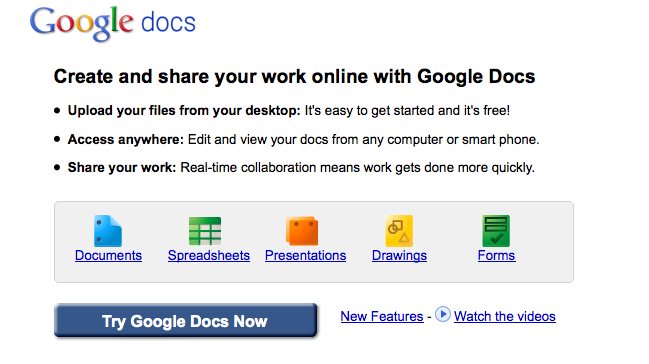
To get started with Google Docs - Click here!
Our focus will be on:
- Word Processing and Spreadsheets
- Collaboration
- Sharing
- Forms
- Embedding a Survey onto your Blog
Assignment:
Class Participation
Practice Survey on Blog
Tuesday, November 16
Today you will explore Yoowalk and Firefox Addon's. You do not have to spend very much time on Yoowalk. I do want you to really search through the Firefox add on's - there are thousands of them. I am sure you will find something you like.
What is Yoowalk?
Click here to explore Yoowalk!
To start - click - Click Here to Chat - then key in a username and choose avatar. Click Save and chat. This chat room is not too exciting, but you can try it out. Something different to look at.

Yoowalk vitural world - chat room - enter various stores, etc.
YOOWALK is a representation of the worldwide web a 3D world where you can :
_________________________________________________________________________________
Firefox Addon's/Extensions - click here
There are numerous Firefox addon's to make your life easier, to play games, etc. Browse through the different categories and add some addon's. You do have to restrat Firefox for them to appear. They should appear next to the url window, or you may have to click Tools on the menu bar to see the addon's.
There is a neat one under games called Destroy the Website. Kind of cool. Try it!
Have FUN EXPLORING!!!!!!
Under each category that you choose, you will see Top Rated, Most Downloaded, and Recently added.
ASSIGNMENT:
What is Yoowalk?
Click here to explore Yoowalk!
To start - click - Click Here to Chat - then key in a username and choose avatar. Click Save and chat. This chat room is not too exciting, but you can try it out. Something different to look at.

Yoowalk vitural world - chat room - enter various stores, etc.
YOOWALK is a representation of the worldwide web a 3D world where you can :
- Browse the web in 3D with your avatar
- Build a 3D version of your website
- Have your personal room in 3D
- Meet people and hang around with them
_________________________________________________________________________________
Firefox Addon's/Extensions - click here
There are numerous Firefox addon's to make your life easier, to play games, etc. Browse through the different categories and add some addon's. You do have to restrat Firefox for them to appear. They should appear next to the url window, or you may have to click Tools on the menu bar to see the addon's.
There is a neat one under games called Destroy the Website. Kind of cool. Try it!
Have FUN EXPLORING!!!!!!
Under each category that you choose, you will see Top Rated, Most Downloaded, and Recently added.
ASSIGNMENT:
- Add Firefox Add on's to your browser.
- Create a post discussing the add on's you read about and added to your browser.
Friday, November 12
Google tools presentations.
Move links gadget to top instead of on side. We will discuss this before you do it.
TODAY's TOPICS: Favicons and Google Tools
Today we will explore Favicons!!!
What are Favicons?
Google Tools Presenters: Duncan - Google Books -- Jacob - Calendar, CJ - Toolbar and Brooke - Notifier and Alerts
Tuesday, November 16 - Substitute
Thursday - November 18: Jeremy - Trends and Tom - Sketchup and Sam - Knol
Monday - November 22: Jessica - Picasa and Emily Riley - Maps
Wednesday - November 24: Bailey - Reader and Jenny - Sites
Tuesday, November 30: Ryan - Chrome, Shayna - Docs, and Cameron - Realtime
ASSIGNMENT
Change your favicon.
Create a post of what you learned today.
Move links gadget to top instead of on side. We will discuss this before you do it.
TODAY's TOPICS: Favicons and Google Tools
Today we will explore Favicons!!!
What are Favicons?
Google Tools Presenters: Duncan - Google Books -- Jacob - Calendar, CJ - Toolbar and Brooke - Notifier and Alerts
Tuesday, November 16 - Substitute
Thursday - November 18: Jeremy - Trends and Tom - Sketchup and Sam - Knol
Monday - November 22: Jessica - Picasa and Emily Riley - Maps
Wednesday - November 24: Bailey - Reader and Jenny - Sites
Tuesday, November 30: Ryan - Chrome, Shayna - Docs, and Cameron - Realtime
ASSIGNMENT
Change your favicon.
Create a post of what you learned today.
Wednesday, November 10
Trevor - your topic will be Google Reader - please explore this tool. Here is some information at Google Help
Edmodo is a very popular social networking website - create an account on Edmodo click here - explore! You don't have to spend too much time on this tool just create an account for now.
Go to my web tool box and EXPLORE. There are many tools on there waiting for you to explore. I want you to stay off of websites that you have already visited this semester and EXPLORE new tools. I have added posts for tools. If you look at the right hand side under the name Tammy Worcester (under voki) there are several links you can explore that as well. Please take the class time to explore new tools. You need to create a blog post about the tools you explored. One post of the tools will be fine.
Assignment:
Create a blog post over the new tools you explored today.
Edmodo is a very popular social networking website - create an account on Edmodo click here - explore! You don't have to spend too much time on this tool just create an account for now.
Go to my web tool box and EXPLORE. There are many tools on there waiting for you to explore. I want you to stay off of websites that you have already visited this semester and EXPLORE new tools. I have added posts for tools. If you look at the right hand side under the name Tammy Worcester (under voki) there are several links you can explore that as well. Please take the class time to explore new tools. You need to create a blog post about the tools you explored. One post of the tools will be fine.
Assignment:
Create a blog post over the new tools you explored today.
Google Tools - Presentation Dates
Wednesday: Substitute
FRIDAY: November 12: Duncan - Google Books -- Jacob - Calendar, CJ - Toolbar and Brooke - Notifier and Alerts
Tuesday, November 16 - Substitute
Thursday - November 18: Jeremy - Trends and Tom - Sketchup and Sam - Knol
Monday - November 22: Jessica - Picasa and Emily Riley - Maps
Wednesday - November 24: Bailey - Reader and Jenny - Sites
Tuesday, November 30: Ryan - Chrome, Shayna - Docs, and Cameron - Realtime
FRIDAY: November 12: Duncan - Google Books -- Jacob - Calendar, CJ - Toolbar and Brooke - Notifier and Alerts
Tuesday, November 16 - Substitute
Thursday - November 18: Jeremy - Trends and Tom - Sketchup and Sam - Knol
Monday - November 22: Jessica - Picasa and Emily Riley - Maps
Wednesday - November 24: Bailey - Reader and Jenny - Sites
Tuesday, November 30: Ryan - Chrome, Shayna - Docs, and Cameron - Realtime
Monday, November 8
Today's Topics - Domain and Blog Backgrounds
Identify parts of a URL - read my blog
To see what services they provide.
ASSIGNMENT - DUE WEDNESDAY, NOVEMBER 10
Identify parts of a URL - read my blog
- Identify websites where you can purchase your own Domain.
- Demonstrate creating your own Domain on blogger
- Explore domain auctions.
- See if your name is already taken
- Identify - .com, .net, .info, .biz, etc. - what is the difference between them?
To see what services they provide.
ASSIGNMENT - DUE WEDNESDAY, NOVEMBER 10
- Create a post defining Domain.
- Create a Domain for your blog - using blogger (or a Domain that you would actually want to use someday) - to see if it is available (you will not actually purchase the domain) - take a screen shot and add it to your Domain post.
- Change your background by adding a HTML gadget.
- Create a post telling about blog backgrounds - where can one go to change their backgrounds. Explain how you do change your blog background.
Spot a Bug in Google?
http://www.pcmag.com/article2/0,2817,2372003,00.asp
Google offers money to people who report bugs in their Chromium project (which bears the popular Chrome browser as fruit). and others such as: YouTube, Blogger, Orkut apart from Google.com. Android, Picasa or Google Desktop don't fall under it yet, but Google said they might expand it to these too in the future. So how much do you get? It depends upon the intensity of the bug found - it could be anywhere between $500 to $3100.
Google offers money to people who report bugs in their Chromium project (which bears the popular Chrome browser as fruit). and others such as: YouTube, Blogger, Orkut apart from Google.com. Android, Picasa or Google Desktop don't fall under it yet, but Google said they might expand it to these too in the future. So how much do you get? It depends upon the intensity of the bug found - it could be anywhere between $500 to $3100.
Thursday, November 4
Presenters: Taylor - (Orkut) and Emily (Google Heath ) We will use the random name picker today to see which days each student will present. Random Name Picker
Today we will explore Cbox to add a chat box gadget to your blog.
ASSIGNMENT:
1. Add a chat box to your blog.
NO INAPPROPRIATE POSTS - USE YOUR OWN NAME
2. Post on 2 classmates blogs - comments about their blog - or ways of which they can improve their blog.
Today we will explore Cbox to add a chat box gadget to your blog.
ASSIGNMENT:
1. Add a chat box to your blog.
NO INAPPROPRIATE POSTS - USE YOUR OWN NAME
2. Post on 2 classmates blogs - comments about their blog - or ways of which they can improve their blog.
Tuesday, November 2
Today students explored their Google Tools.
PRESENT GOOGLE TOOL:
Emily - Google Health
Taylor - Orkut
Explore these two tools.
PRESENT GOOGLE TOOL:
Emily - Google Health
Taylor - Orkut
Explore these two tools.
Google - Happiest Place to Work - October 27
According to CareerBliss.com - Google is the top blissfulness place to work!
Assignment: See Handout for detailed information
Create a blog post:
In detail walk classmates through your tool. Going over in great detail your tool's features and abilities. What is the purpose of this tool. How do you use the tool? Do you have to download it? It it just web based?
Your presentation must be organized! Must have a plan for going over the tool - outline - which you will turn in. Demonstrate tool. Show how to download the tool, etc.
Today students will explore Google Products. Students will have two class periods to explore a Google Tool - which they will present to the class on Monday, November 1. Explore the tool - conduct a Google search to find information about the tool, etc.
Assignment: See Handout for detailed information
Create a blog post:
- describing tool - features
- link to download tool
- pictures
- benefits
- purpose of tool
In detail walk classmates through your tool. Going over in great detail your tool's features and abilities. What is the purpose of this tool. How do you use the tool? Do you have to download it? It it just web based?
Your presentation must be organized! Must have a plan for going over the tool - outline - which you will turn in. Demonstrate tool. Show how to download the tool, etc.
HAVE FUN EXPLORING!!!!
Monday, October 25
ASSIGNMENT - DUE TODAY, OCTOBER 25
- Create a blog post from your cell phone.
- Create a blog post from your email account. (we will set this up together)
- Create a post over FireFox Personas - tool evaluation - description
- Create a post over bibme - tool evaluation - description
- Create a post over BlogThis! - tool evaluation - description
- Set up your blog so that you can post from your email account.
- Googles Wonder Wheel and Timeline
- Symbaloo
- Explore Google Products
Tuesday, October 19
Today we will explore the following tools/websites:
- BibMe Click here to visit BibMe website
- FireFox Personas Click Here to dress up your Firefox Browser
- Blog post from cell phone Click Here for directions
- Google Gadgets for Webpage Click here for directory
- Google Search Tips
- Calculator - type a calculation (2 + 5 * 2 - 1/2) and press Enter
- Conversion Tool
- Be sure to use the word "in"
- 1 mile in feet
- 1 cup in tablespoons
- 100 dollars in euros
- 180 c in f
- Dictionary
- Define: folksomanies
- Weather
- Weather in Cancun, MX
Subscribe to:
Posts (Atom)