Thursday, December 2

Try tinychat on Mrs. James website:  http://tinychat.com/dawnjames
---Take a screen shot

Try Google Talk (Video) - make sure you are on Safari, or it will not work.
--To do this, log on to your gmail account.  On the left hand corner--you will go into the middle room.
--Take a screen shot to verify that you and your partner did this.  --you will go into the middle room.
--You will have to invite that person to chat.


Create a post on on your blog about Tinychat and Google Talk - post your screen shots - discuss your thoughts on video chat - what is the difference between the two - or how you or someone could utilize these two video chatting features..

Try and record on your gabcast account
--you will first need to create a channel to get the channel number and create password to enter when you record your message --you can utilize the laptop.

Create a voxopop account.
 --Mrs. James created a Talkgroup account

Tuesday, November 30

Today you will:
  • Create a voice message utilizing several podcasting websites!
Assignments/Tasks! 
Create a Vocaroo message and embed it onto your blog - in a post or as a gadget!

While there is down town - change your meez, blog background, visit  http://www.go2web20.net/ and explore websites!!!! - HAVE FUN!!! Share what you find by adding a post to our web tools blog!

Add a message utilizing Vocaroo to your blog as a gadget!

Create a gabcast account
--Create a message using your phone. --this can be done in the classroom.

Wednesday, November 24

Google Tools Presenters:
 
Bailey - Reader and Jennifer - Sites
Ryan - Chrome, Shayna - Docs

Visit Newseum 

Go2Web20 Tools 

Assignment:  
Go to 3b's blogs and take atleast 4 surveys! 


Thanksgiving Fun - on Mrs. James Web Tools - CLICK HERE!!!

Monday, November 22

Google Tools Presentation Dates: 

Monday - November 22:  Jessica - Picasa and Emily Riley - Maps

Wednesday - November 24:  Bailey - Reader and Jennifer - Sites

Tuesday, November 30:  Ryan - Chrome, Shayna - Docs, and Cameron - Realtime (you may be going on Wednesday, so be ready)

Assignment
  • Create a survey on your blog.
  • 5 Questions - we will review how to make a survey.
  • --questions must deal with technology/web tools/social networking, etc. 
  • Go to 10 of your classmates blogs and take their survey.
 
NEW TOOL TINY CHAT 


    Thursday, November 18

    GOOGLE PRESENTATIONS: Jeremy - Trends and Tom - Sketchup and Sam - Knol
     

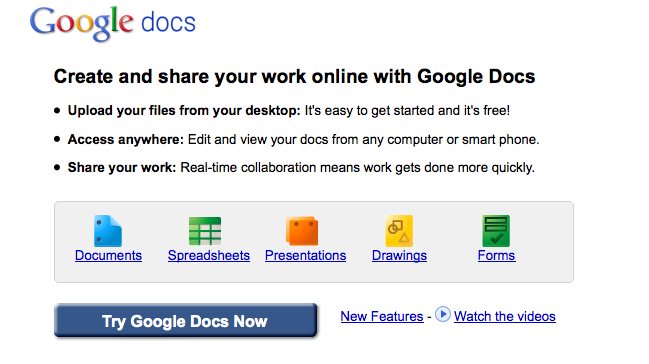
    Today we will explore Google Docs!

    To get started with Google Docs - Click here!

    Our focus will be on:
    • Word Processing and Spreadsheets
    • Collaboration
    • Sharing
    • Forms
    • Embedding a Survey onto your Blog

    Assignment:
    Class Participation
    Practice Survey on Blog

    Tuesday, November 16

    Today you will explore Yoowalk and Firefox Addon's.  You do not have to spend very much time on Yoowalk.  I do want you to really search through the Firefox add on's - there are thousands of them.  I am sure you will find something you like. 

    What is Yoowalk?

    Click here to explore Yoowalk!


    To start - click  - Click Here to Chat - then key in a username and choose avatar.  Click Save and chat. This chat room is not too exciting, but you can try it out.  Something different to look at.


    Yoowalk vitural world - chat room - enter various stores, etc.

    YOOWALK is a representation of the worldwide web a 3D world where you can :

    • Browse the web in 3D with your avatar
    • Build a 3D version of your website
    • Have your personal room in 3D
    • Meet people and hang around with them
    YOOWALK is organized by villages, grouping websites and brands by areas of interest. When you walk down the streets in one of these villages, you thus see schematic buildings that represent the major websites on a particular subject. You walk around the web!
    _________________________________________________________________________________
    Firefox Addon's/Extensions - click here
    There are numerous Firefox addon's to make your life easier, to play games, etc.  Browse through the different categories and add some addon's.  You do have to restrat Firefox for them to appear.  They should appear next to the url window, or you may have to click Tools on the menu bar to see the addon's.

    There is a neat one under games called Destroy the Website.  Kind of cool.  Try it!

    Have FUN EXPLORING!!!!!!

    Under each category that you choose, you will see Top Rated, Most Downloaded, and Recently added.


    ASSIGNMENT:
    • Add Firefox Add on's to your browser.
    • Create a post discussing the add on's you read about and added to your browser.